

Overview
The Contact & About tab has two sections:- Contact Form — embed an external form (Google Forms, Typeform, or any iframe-based provider) on your gallery website’s Contact Us page.
- About Us — write the HTML content that appears on your gallery website’s About Us page.
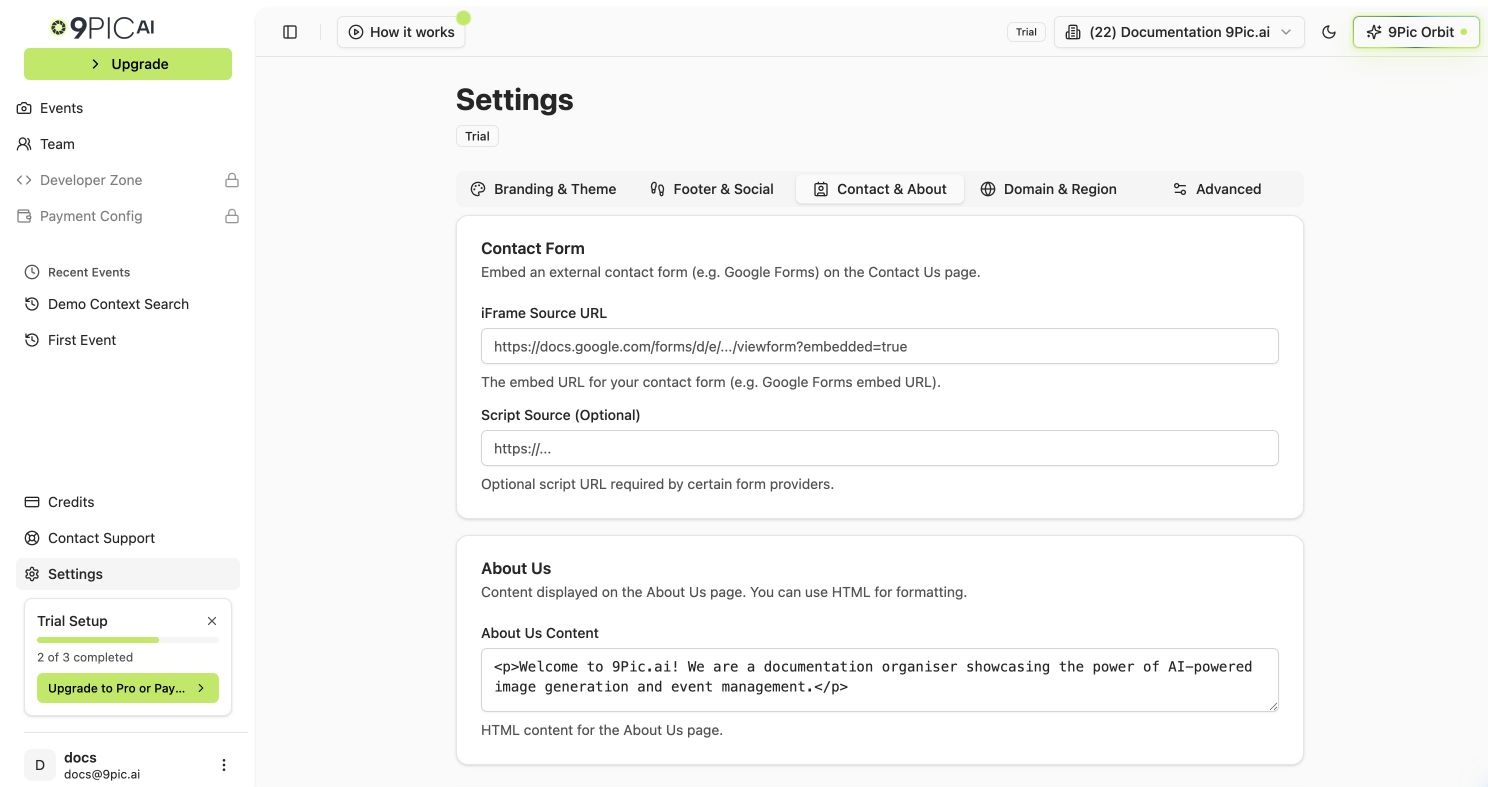
Contact & About settings
How to Open
1
Go to Settings
Click Settings in the sidebar.
2
Select Contact & About
Click the Contact & About tab.
/settings?tab=contact.
Contact Form
Embed an external form so visitors can reach you directly from the Contact page on your gallery website.Set Up With Google Forms (Recommended)
1
Create the form
Go to Google Forms and create a contact form with the fields you want (Name, Email, Message).
2
Open the embed dialog
In Google Forms, click Send at the top right, then click the < > (Embed) tab.
3
Copy the embed URL
Copy the value of the
src attribute from the embed snippet. It ends with ?embedded=true and looks like https://docs.google.com/forms/d/e/XXXX/viewform?embedded=true.4
Paste into 9Pic
In the Contact Form card, paste the URL into the iFrame Source URL field.
5
Save
Click Save Contact Changes at the bottom of the page.
Script Source (Optional)
The Script Source (Optional) field is only needed for certain advanced form providers that require an additional JavaScript file to load alongside the iframe. Leave it blank for Google Forms, Typeform, and most other providers.About Us
Write the content that appears on the About Us page of your gallery website. The textarea accepts raw HTML, so you can use simple tags for headings, paragraphs, and basic formatting.1
Write your content
In the About Us card, type or paste your content into the About Us Content textarea. You can use tags such as
<h1>, <p>, <strong>, and <a> to format the page.2
Save
Click Save Contact Changes at the bottom of the page.
The field stores raw HTML — there is no rich-text editor in this tab. If you are not comfortable writing HTML, paste plain text and surround paragraphs with
<p>...</p>.Troubleshooting
- Contact form does not show on the website. Confirm the iFrame URL ends with
?embedded=true. Without that parameter, Google Forms refuses to load inside an iframe. - Form shows an error page or blank box. Make sure you copied the embed URL from the < > Embed tab, not the regular form URL from your browser’s address bar.
- About Us content looks like raw HTML. Wrap text in tags such as
<p>...</p>or<h2>...</h2>— plain text without tags renders without spacing.
Common Questions
Can I use a form service other than Google Forms?
Can I use a form service other than Google Forms?
Yes — any service that gives you an iframe embed URL works. Paste the embed URL into the iFrame Source URL field. If the service also requires a script, paste it into Script Source (Optional).
Does About Us support images?
Does About Us support images?
The field supports raw HTML, so you can embed images with
<img> tags pointing to publicly accessible URLs. Keep image sizes reasonable so the page loads quickly.Will the Contact and About Us pages appear automatically on my website?
Will the Contact and About Us pages appear automatically on my website?
Yes — saving the fields makes the Contact and About Us pages live on your gallery website. There are no separate toggles to publish them.
What happens if I leave both contact fields empty?
What happens if I leave both contact fields empty?
The Contact page either hides the form or shows fallback contact information from your organisation profile. To show your own form, fill in at least the iFrame Source URL field.
Next Steps
Domain & Region
Set your country or connect a custom domain.
Branding & Theme
Match the form page to your brand colour and header.