

What This Guide Is
The Dashboard Guide is your hands-on reference for running events on 9Pic. It walks new organisers from signing in to delivering their first set of processed photos, and then doubles as a deep reference for every screen, tab, and toggle in the dashboard. If you have never signed in to 9Pic before, follow the four pages in Start Here in order. Each one builds on the previous one, so by the end you will have a live event with real photos.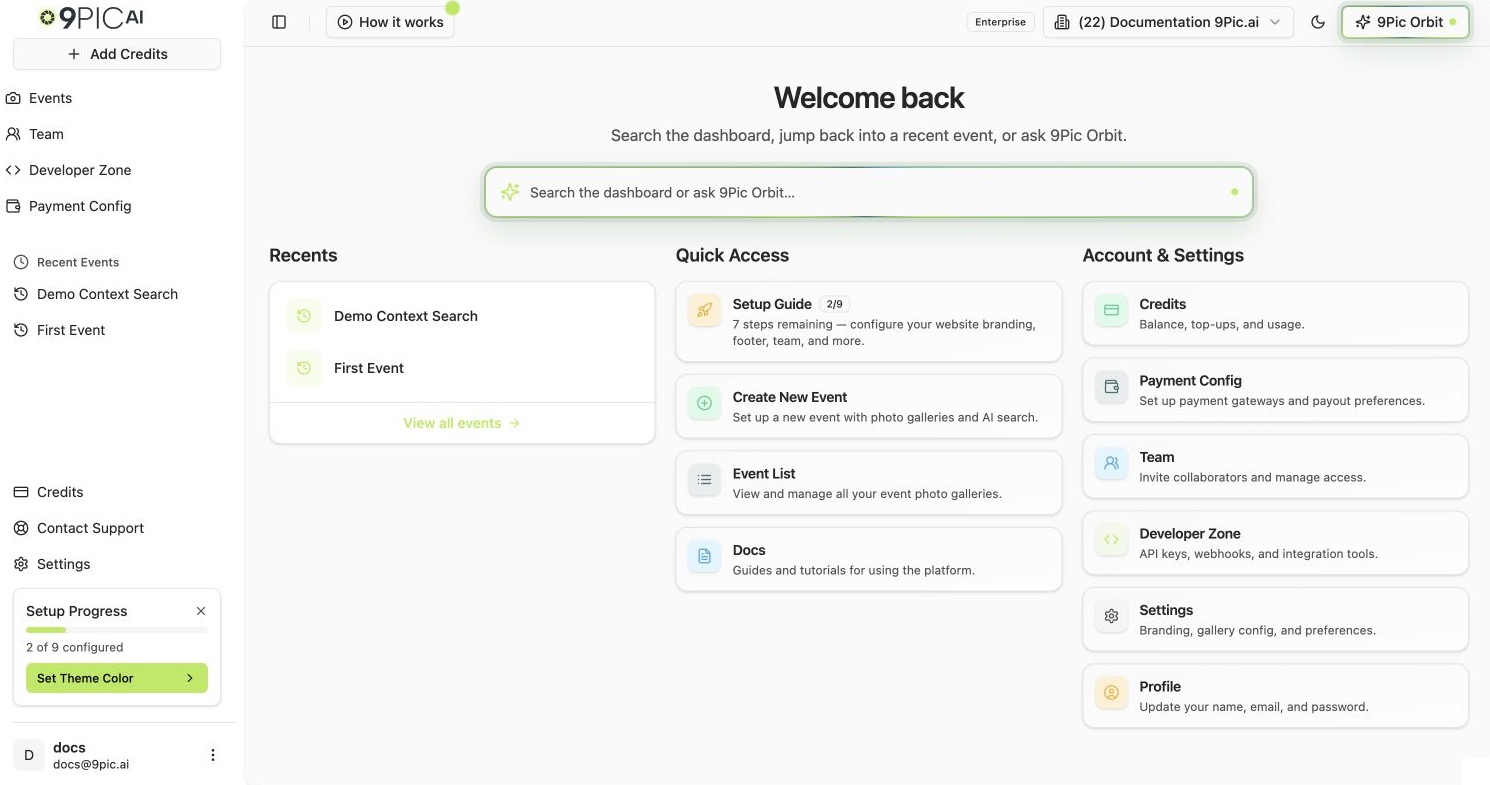
Dashboard home Quick Access
Your First-Day Journey
1
Sign in
Open admin.9pic.ai, sign in with Clerk, and pick the right organisation if you belong to more than one.
2
Get the lay of the land
Spend two minutes on the dashboard tour — the sidebar, the Quick Access cards, the Setup Wizard widget, and the Account & Settings shortcuts.
3
Create your first event
Use the 90-second happy path: open Create New Event, fill in the basics, and land on the event details page.
4
Reach your first photos
From event details, connect a source, sync, process, and share the live link.
Start Here — Read In Order
1. Sign in to the dashboard
Sign in with Clerk, switch organisations, and confirm you landed in the right workspace.
2. Dashboard tour
Sidebar, Quick Access cards, Recent Events, and the Setup Wizard widget — what each one does.
3. Create your first event
The fastest path from a fresh dashboard to a live event link.
4. Manage events
Once you have an event, learn how the Events list, create wizard, and details shell fit together.
Deeper Reference
The rest of the Dashboard Guide mirrors the dashboard’s product navigation. Each event product has its own reference section, so you can go straight to the tools you need.9Pic Photo
Sources, sync, processing, watermarks, branding, downloads, and AI tools for the core photo product.
9Pic Certify
Set up certificate sources, templates, participant records, requirements, and publishing.
9Pic Flow
Create AI-generated highlight reels and prepare the right event inputs.
9Pic Select
Let clients and teammates review and choose the best event photos.
9Pic Buzz
Add branded frames and overlays to participant photos.
9Pic Motion
Help participants find their moments in event video footage.
Sales & revenue
Checkout, payment configuration, and analytics for selling photos.
Organisation settings
Branding, footer, contact, domain, and the rest of your public-facing site.
Need help at any step? Email support@9pic.ai or open Contact Support from the dashboard sidebar.