

Overview
Your 9Pic account is opened from two places in the dashboard:- The account menu at the bottom of the sidebar (your avatar, name, and email).
- The Profile card on the dashboard home page, which opens the same profile window.
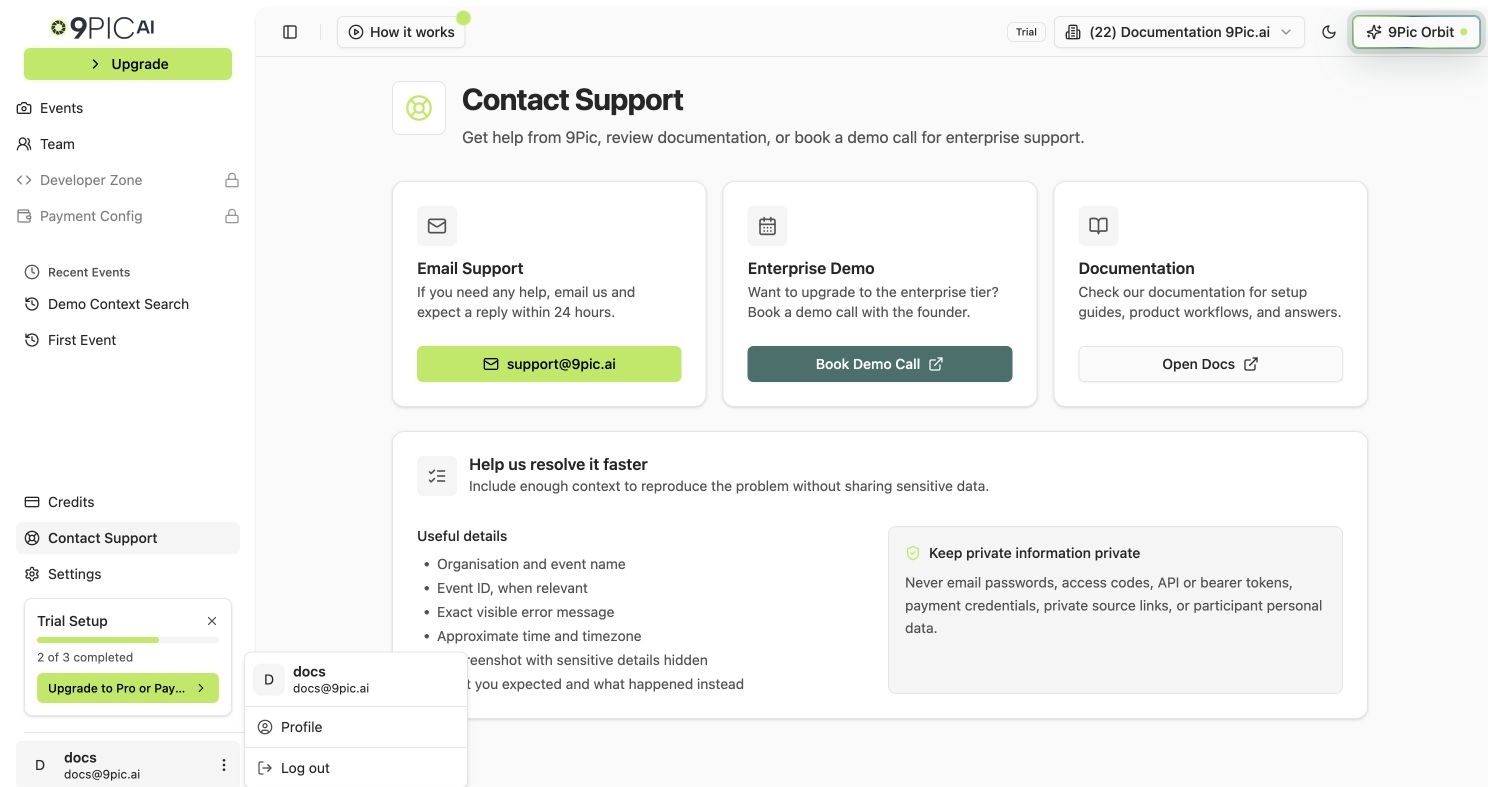
Sidebar account menu
Open Your Profile
1
Open the dashboard
Log in to admin.9pic.ai.
2
Find your account menu
Look at the bottom of the sidebar for your avatar, name, or email.
3
Open the menu
Click your account area to open the dropdown menu.
4
Click Profile
Click Profile. A profile window opens on top of the dashboard.
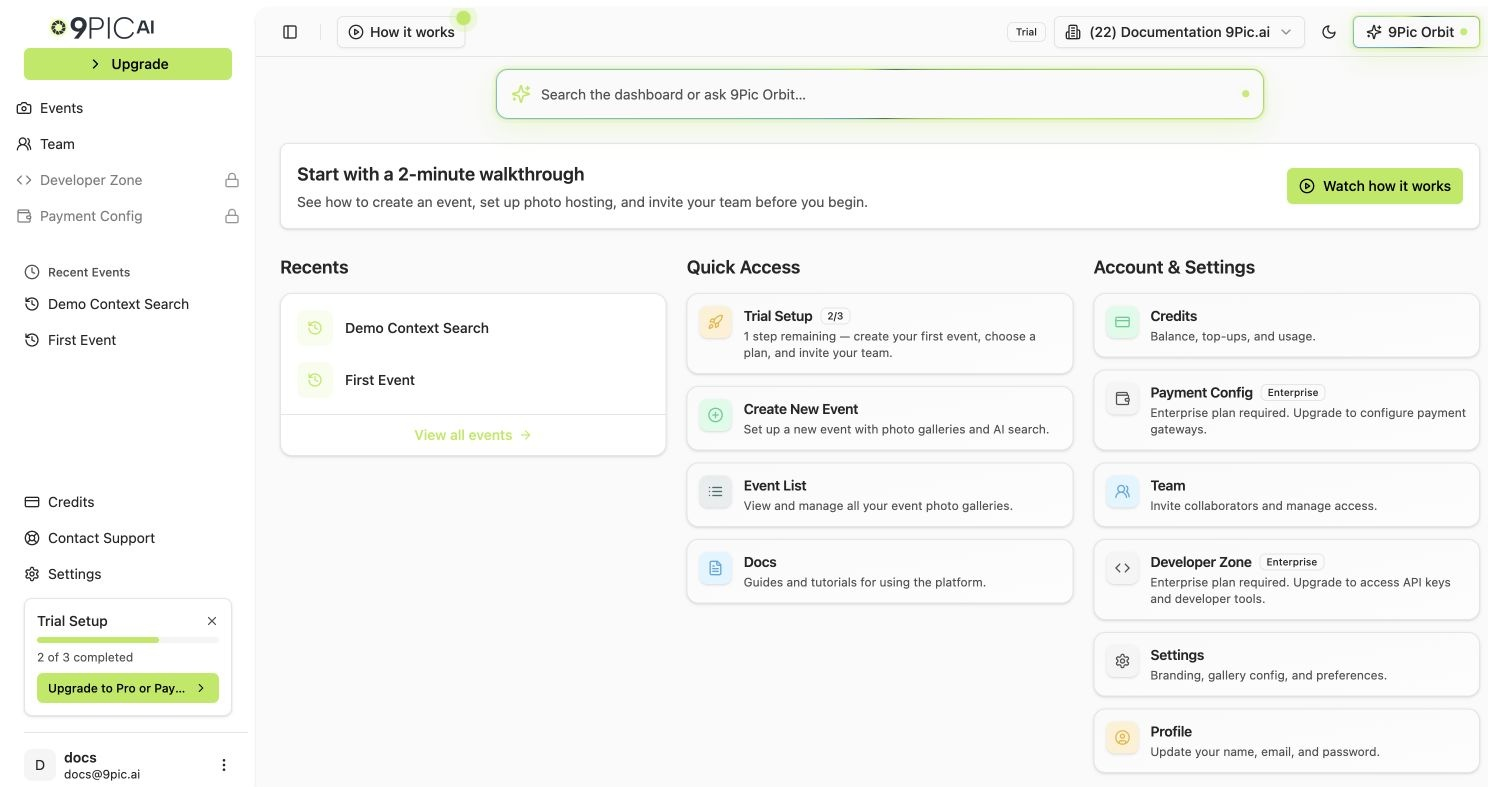
Profile account card
What the Profile Window Shows
The profile window is the secure account view from the sign-in system 9Pic uses. Common things you can do there:- Review your name and email.
- Update your password.
- Manage connected sign-in methods if your account has them.
The profile window is not a normal dashboard page. It opens as a window on top of the dashboard. Close it to return to the page you were on.
Sign Out
1
Open the account menu
Click your avatar, name, or email at the bottom of the sidebar.
2
Click Log out
Click Log out. The dashboard signs you out of your 9Pic session.
Email and Password Help
If you cannot access your account:- Use the recovery option on the login page if you forgot your password.
- Ask an admin in your organisation to confirm that your team invite is still active.
- Contact 9Pic support if your email address needs to be changed.
Your login email identifies your 9Pic account. If your email needs to change, contact support@9pic.ai so the team can help avoid duplicate access issues.
Common Questions
Where is the Profile page?
Where is the Profile page?
Profile opens from the account menu at the bottom of the sidebar, or from the Profile card on the dashboard home page. It appears as a secure profile window rather than a normal dashboard page.
What if Log out does not work?
What if Log out does not work?
Refresh the page and try again. If it still does not log you out, clear your browser cookies for
admin.9pic.ai and reload.Next Steps
Team
Invite teammates and manage organisation access.
Contact Support
Get help with login, email, or account access issues.