

Welcome to Your Trial
You’re on the 9Pic Trial plan. Your account is fully working — you can run a real event end-to-end before you ever pay anything. This guide is the fastest path to seeing whether 9Pic fits your event. The journey has four short stages:1. Know your trial
What your trial includes, and what’s gated until you upgrade.
2. Run your first event
Create an event, sync photos, go live, and share the link.
3. Try the AI features
Test face search and BIB number search on your own photos.
4. Choose your plan
Compare Pay As You Go, Pro, and Enterprise — then upgrade.
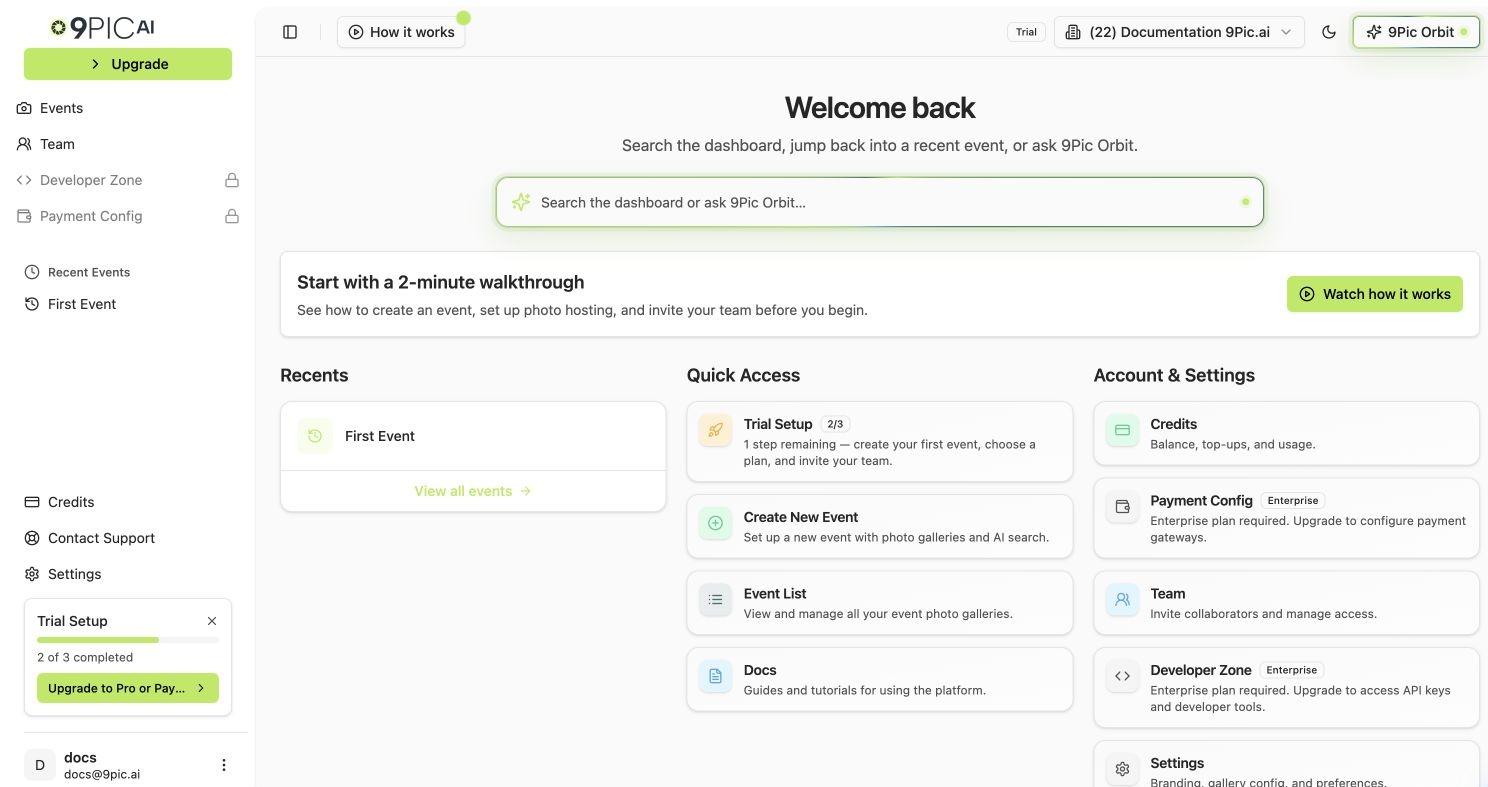
Trial dashboard home
Where to Start Right Now
If you only have 15 minutes, do these three things in order:1
Watch the 2-minute walkthrough
On the dashboard home, click Watch how it works in the trial banner. The video shows the full event flow.
2
Open the Trial Setup
From the sidebar, open Trial Setup. You’ll see two starter steps: Create your first event and Choose a plan.
3
Create your first event
Click Create event in Trial Setup. Use a real upcoming event or make a test one with a few sample photos.
The Full Trial Journey
What's Included
Free credits, included products, and what stays gated.
Run Your First Event
The end-to-end walkthrough, tuned for trial users.
Share with Your Team
Invite a teammate so setup isn’t blocked on one person.
Trial Checklist
The features worth testing before you decide.
Test Photo Search
Verify FaceFind and BibTrack on your own gallery.
Compare Plans
Trial vs Pay As You Go vs Pro vs Enterprise.
Upgrade Your Plan
How to add credits or move to Pro from the dashboard.
Talk to Us
When to reach out for Enterprise, Checkout, or beta features.
Already Familiar with 9Pic?
If you’ve evaluated 9Pic before or you’ve been forwarded this trial by a teammate, you can skip ahead:Dashboard Guide
Full, non-trial-specific reference for the dashboard.
API Reference
Integrate 9Pic into your own apps once you upgrade.
Need help during your trial? Email support@9pic.ai. Trial accounts get the same support response as paid plans.