

Overview
The Contact Support page in the dashboard collects all the ways to reach 9Pic into a single place. It has three cards: Email Support, Enterprise Demo, and Documentation.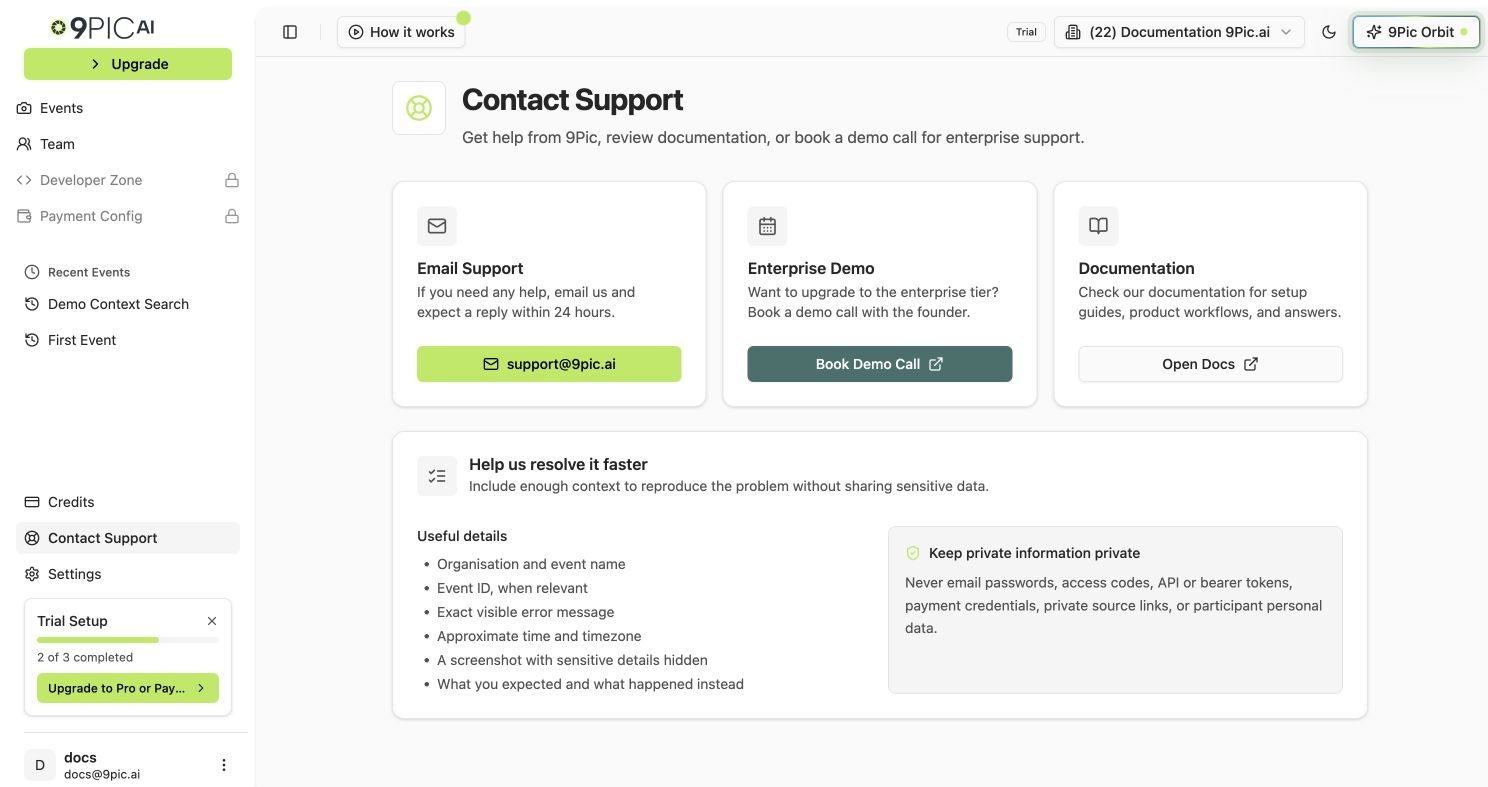
Contact Support cards
Open Contact Support
1
Open the dashboard
Log in to admin.9pic.ai.
2
Click Contact Support
Click Contact Support in the sidebar.
3
Pick a card
Choose Email Support, Enterprise Demo, or Documentation based on what you need.
Email Support
Email support@9pic.ai for any help with the dashboard, events, payments, or your account. The in-app card promises a reply within 24 hours.Enterprise Demo
If you are evaluating 9Pic for a large organisation, click Book Demo Call on the Enterprise Demo card. The button opens cal.com/arghya/9pic-ai in a new tab so you can pick a time slot. Use the demo call for:- Enterprise pricing and plan upgrades.
- Custom workflows for very large events.
- Onboarding for a new team or organisation.
Documentation
The Open Docs button opens docs.9pic.ai in a new tab. The documentation site covers dashboard guides, trial guides, and reference material that you can search at any time.Common Questions
Which email address should I write to?
Which email address should I write to?
Use support@9pic.ai. Personal email addresses of 9Pic team members are not monitored as support inboxes.
When should I book a demo call instead of emailing?
When should I book a demo call instead of emailing?
Book a demo call when you want a live walkthrough, enterprise pricing, or onboarding for a new organisation. For all other questions, email is usually faster.
Where is Contact Support in the dashboard?
Where is Contact Support in the dashboard?
It is in the sidebar. The same page is also linked from the Need Help? card on the dashboard home.
How soon will I get a reply?
How soon will I get a reply?
The in-app card states a reply within 24 hours. Reply times can vary based on volume and timezone.
Related Guides
Credits
Check balances, payments, and invoices before contacting support.
Team
Manage invites, roles, and access for your organisation.