

Overview
The Advanced Config product holds event-level settings that shape the public gallery. Its Overview tab is a single inline-editable surface with four sections — Visibility, Page Password, Call to Action, and Image Cache — plus a Save / Discard footer. The Advanced product is available on all plans.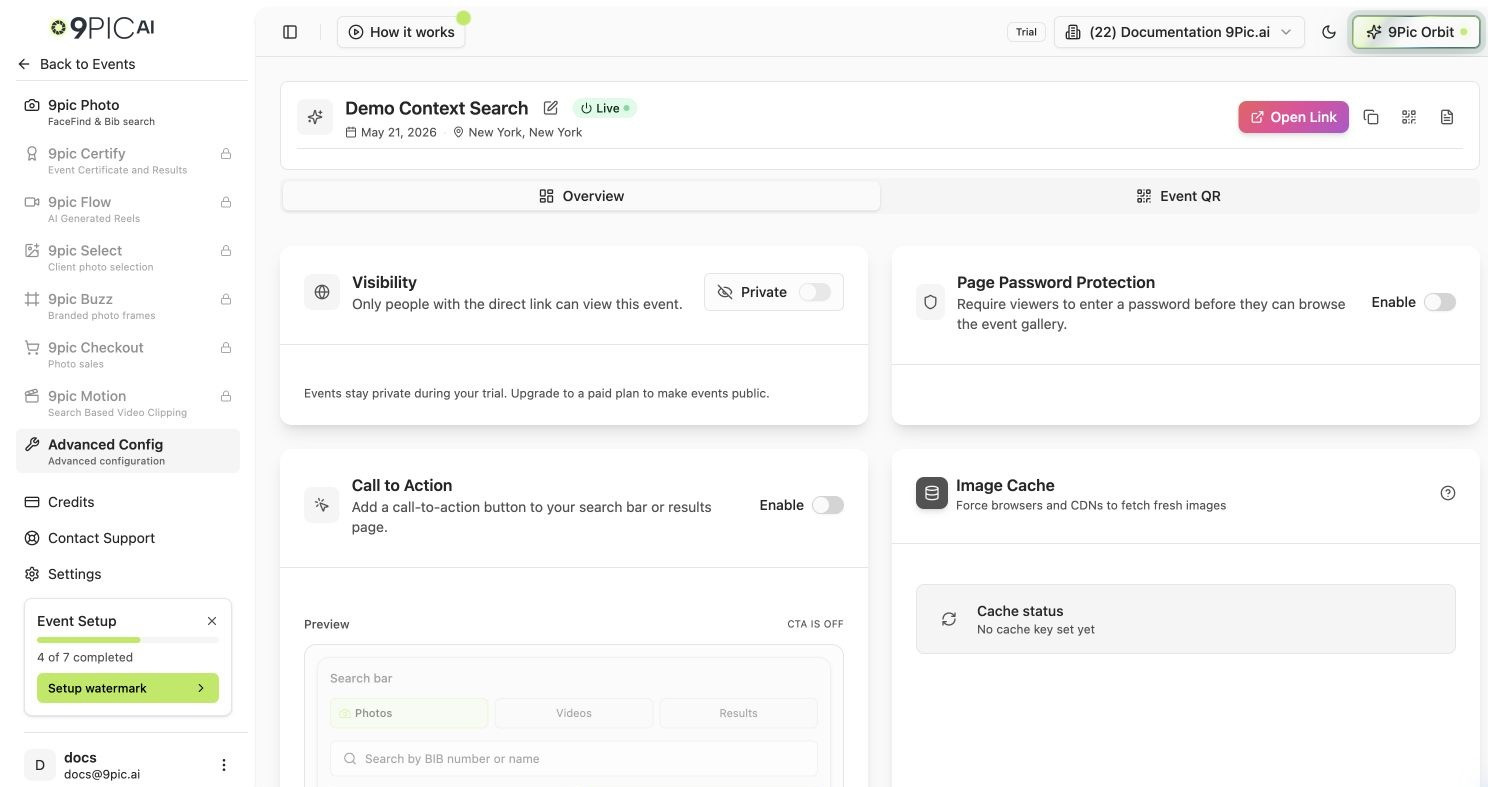
Advanced Config overview
Visibility
A Private / Public toggle that controls whether the event is publicly listed. Set it to Private to keep the event unlisted (reachable only via a direct link), or Public to list it.On the Trial plan, visibility stays Private and can’t be changed. Upgrade to a paid plan to make events public.
Page Password
Require a password before participants can view the gallery.Call to Action (CTA)
CTA buttons send participants from your gallery to an external page — registration, feedback, or a store. Configure them here:Pass Participant Context to Your URL
When a participant clicks a CTA, 9Pic appends query parameters to your Target URL so you can personalize the destination:
Because
ref is Base64-encoded, decode it on your page:
Image Cache
If you change branding or watermarks and participants still see old images, use Refresh Image Cache to force the latest versions to load. This is an immediate action (it doesn’t wait for Save).Common Questions
Do I need to refresh the cache after a watermark change?
Do I need to refresh the cache after a watermark change?
Only if viewers are still seeing the old watermark. Refreshing forces the latest processed images to load.
I lost my changes when switching tabs.
I lost my changes when switching tabs.
Save before leaving. The Advanced Overview stages edits and warns you about unsaved changes, but discarding will drop them.
Next Steps
Event QR
Generate and customise the event QR code.
Download & Delete
Download originals (moved here from Advanced) and delete photos.