

Overview
The Trial is where every new 9Pic account starts. It’s free, it has no end date, and it comes with 200 free credits so you can run a small event end-to-end before you pay anything. Photo processing on the trial uses credits at the Pay As You Go rate (1 credit per photo). The trial is for evaluating 9Pic with your own photos and your own team. The full Photos product is open, a few paid tools are open to try, and everything else shows a lock that names the plan that unlocks it.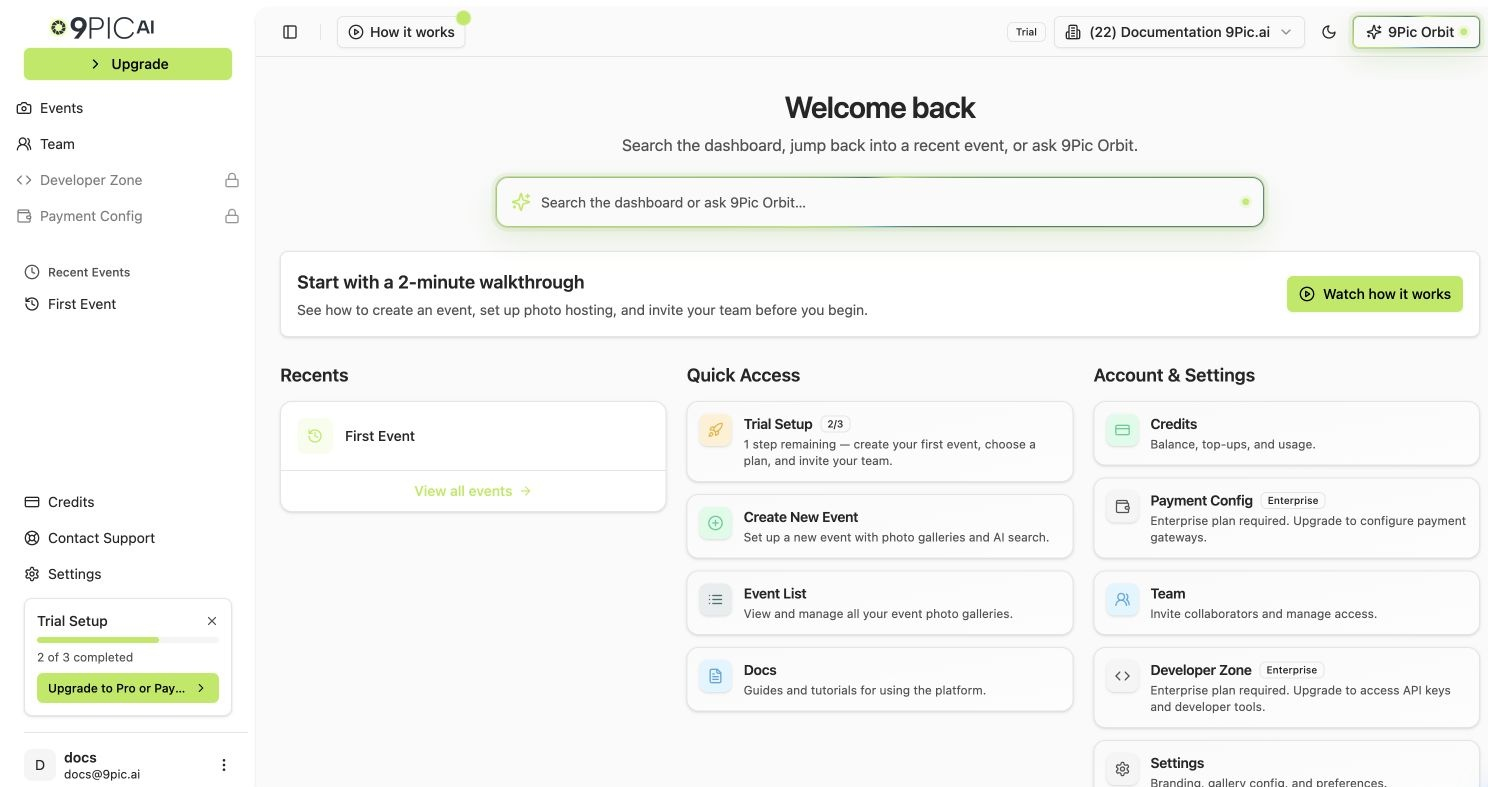
Trial dashboard home
What’s Included
The Trial chip in the dashboard header sums it up: “You’re on Trial: Photos, Certify, Buzz, photo sales and API keys are open to try.”
To try Certify, Buzz or Checkout, open your event, go to Event Config → Products, switch the product on and click Save changes. You don’t need to ask support. For the full table in the dashboard, open Credits & Billing → Plan and expand Compare all features.
Photo Sales Run in Test Mode
In Payment Config you can use the 9Pic test payment account, add your own Stripe test key (starts withsk_test_ or rk_test_), or choose No gateway. Live payment accounts can’t be added on the trial. Test orders stay out of your revenue totals, and buyer emails start with [Test] and say no payment was taken. See Checkout overview.
What Changes When You Move Onto It
You don’t move onto the trial. You start on it. This is what changes when you leave it:Your Checklist
Work through these on a test event before you decide. Each links to the page that explains how.1
Run your first event
Create an event, connect a photo source, process photos and open the gallery. Run Your First Event
2
Check upload speed
Push about 50 photos in one go with 9Pic Uplink or your cloud source. They should all show up in Image Sources within a few minutes. Photos Overview
3
Test photo search
Search by selfie (FaceFind) and, for races, by bib number (BibTrack). Do a few searches yourself. Don’t ask lots of people to test it. Test Photo Search
4
Brand the event page and watermark
Set the event banner and a 9Pic Stamp watermark, then open the link in a private window and download one photo to check both. Event Page, Photo Configuration
5
Invite a teammate
Have them add a photo source and run Sync Images without your help. Invite Your Team
6
Try the paid tools that might decide your plan
Certify, Buzz, Checkout in test mode, and API keys in Developer Zone.
7
Check the price against your volume
Multiply your last three events’ photo counts by the per-photo rate, then compare Pay As You Go with Pro (or Business if you’ll sell photos). Photo Processing Costs, Compare Plans
8
Choose a plan
Common Questions
How long does the trial last?
How long does the trial last?
The trial has no end date. What runs out is the 200 free credits. Your events and settings stay when they do, and you can buy credits or choose a plan whenever you’re ready.
Can I run a real event on the trial?
Can I run a real event on the trial?
You can process a real event’s photos, but don’t share the trial link with participants. The trial domain is rate-limited and real traffic will be blocked. Choose a plan first, and your events can go public on
app.9pic.ai.Do the checklist tests use my credits?
Do the checklist tests use my credits?
Processing photos does. Branding, downloads, analytics and team invites don’t. One processing run on a test event leaves plenty for the rest.
Do I lose what I set up in Certify or Buzz if I choose Pay As You Go?
Do I lose what I set up in Certify or Buzz if I choose Pay As You Go?
No. Nothing is deleted. Tools your new plan doesn’t include switch off with their settings saved, and they work again on a plan that includes them.
Next Steps
Run Your First Event
Create, process and test an event with your free credits.
Compare Plans
Pay As You Go, Pro, Business and Enterprise side by side.
Upgrade Your Plan
Go live for free, buy credits, or move to Pro or Business.
Talk to Us
Questions about your evaluation or a larger account.