

Overview
Pro is the annual plan for organisers who run events regularly and want them under their own brand. It adds your own domain and branding, the website Setup Guide, and the event products beyond photos: 9Pic Certify, Buzz, Select, Motion and Flow.
INR payments add 18% GST. A Pro term lasts 365 days from the day the payment is confirmed.
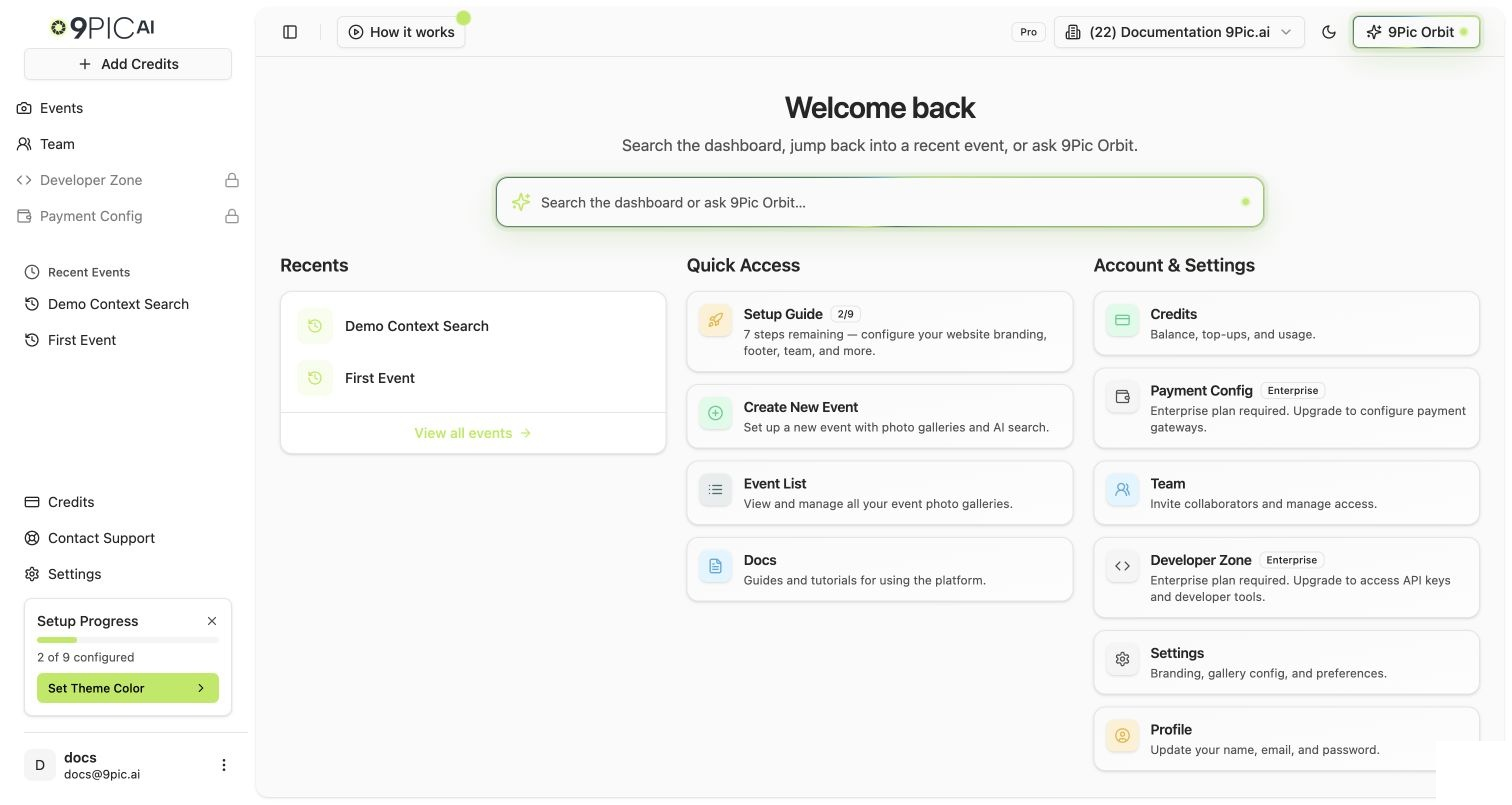
Pro dashboard home
What’s Included
You switch event products on yourself: open the event, go to Event Config → Products, turn the product on and click Save changes. AI search works the same on every plan. The plans differ in features, not in search quality.
What Changes When You Move Onto It
- From the trial: your domain moves from
trial.9pic.aitoapp.9pic.aiand your account goes live. New events can be Public. Trial events stay Private until you change each one. Certify and Buzz setups keep working. Test-mode photo sales, original photo storage and API keys switch off with their settings saved. - From Pay As You Go: your credit balance stays, and credits you buy from now on cost the Pro rate.
- The Setup Guide opens with website steps (theme colour, logo, favicon, footer, social links, contact form, header button and a team invite) instead of the trial’s two starter steps.
- Your term starts. Credits & Billing → Plan shows Active until with the end date. From 30 days before that date you can Renew Pro at checkout, and renewing early adds a full year to the current end date. If the term ends, your dashboard becomes read-only until you renew. Galleries keep working. See Renewal.
Your Checklist
1
Run the Setup Guide
Do this first, because every event after it inherits your branding. Run the Setup Wizard
2
Connect your domain
Use a branded
9pic.ai subdomain or your own domain. Domain & Region3
Set your branding
4
Invite your team
6
Plan credits per event
Credits are one balance. They don’t reset monthly. Credits & Billing, Buy More Credits
7
Put the renewal date in your calendar
Common Questions
Do I need to do anything to switch on Pro after paying?
Do I need to do anything to switch on Pro after paying?
No. Once the payment is confirmed, your plan, end date and features update by themselves. Event products still need switching on per event in Event Config → Products.
Do I have to use a custom domain?
Do I have to use a custom domain?
No. Galleries work on
app.9pic.ai. A branded subdomain or your own domain is optional.Can I sell photos to participants on Pro?
Can I sell photos to participants on Pro?
No. 9Pic Checkout needs Business. Upgrade from Credits & Billing → Plan → Upgrade to Business. See Business.
What happens to my credits if my Pro term ends?
What happens to my credits if my Pro term ends?
They stay on your account. Renewing unlocks the dashboard straight away, and your balance is still there.
Where's the official feature table?
Where's the official feature table?
Credits & Billing → Plan → Compare all features lists every feature for each plan. If this page ever disagrees with it, the dashboard is right.
Next Steps
Run the Setup Wizard
Your branded site in one sitting.
Run an Event
Use the full Pro toolkit on your next event.
Business
Add photo sales and API keys.
Compare Plans
Pro, Business and Enterprise side by side.