Why This Matters
Once you’ve decided Pro is right (see When to Upgrade), the upgrade itself takes a few minutes through the dashboard. This page walks through what to expect at every step so there are no surprises at payment.Before You Begin
- You’re an admin of the organisation (only admins can purchase).
- You have a credit / debit card or your team’s payment method ready.
- You’ve decided whether to top up extra credits in the same transaction (you can — see Step 2).
- You know that Pro is a 365-day subscription with manual renewal. Your credit balance and existing events carry over unchanged.
Your existing event data, team members, settings, public links, and credit balance all carry over. Upgrading does not reset anything.
Open the Upgrade Flow
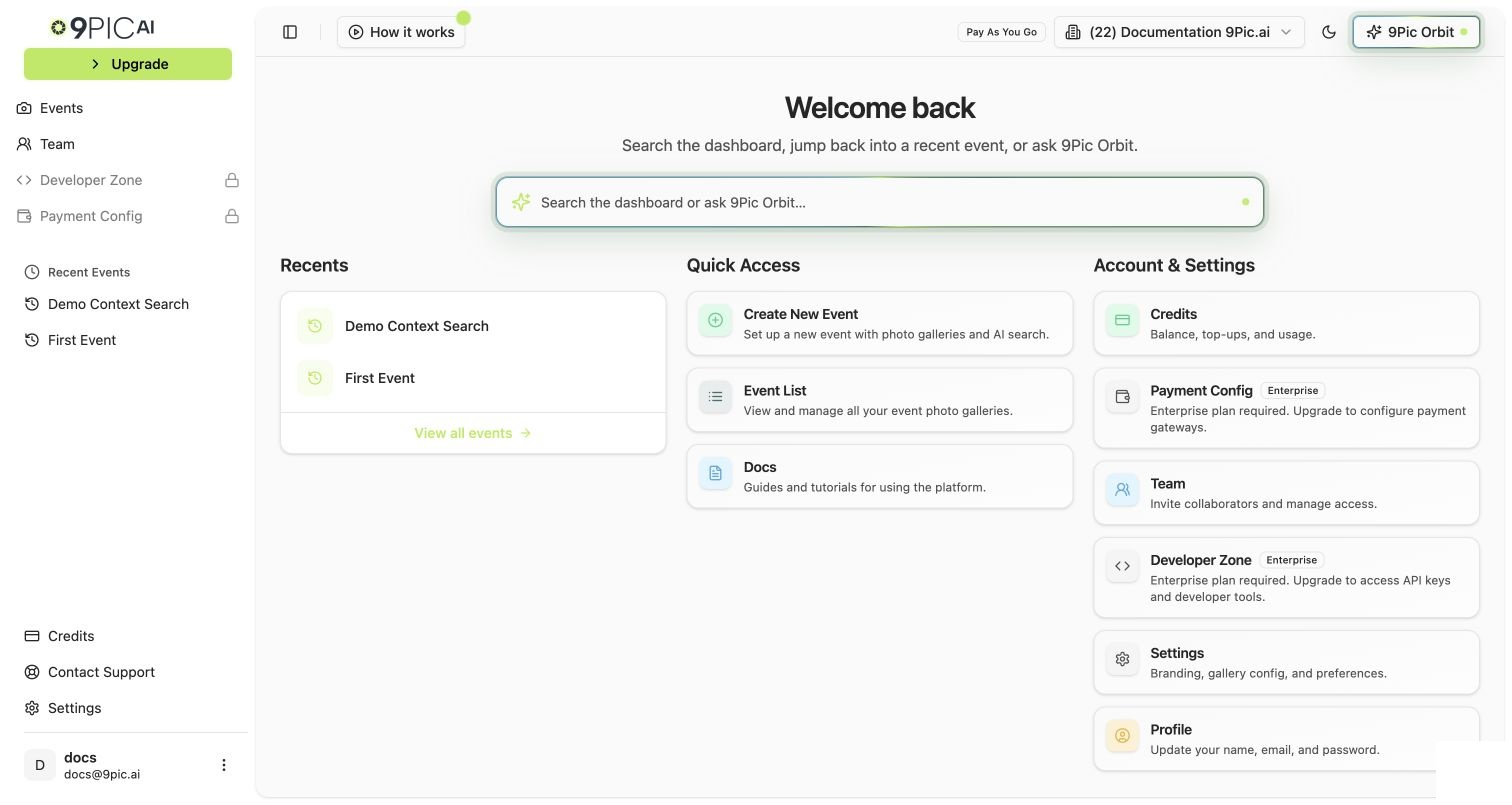
There are two ways to get to the same place:Click Upgrade in the sidebar
The sidebar shows a highlighted Upgrade button on Pay As You Go accounts. Clicking it opens the Purchase Credits flow.

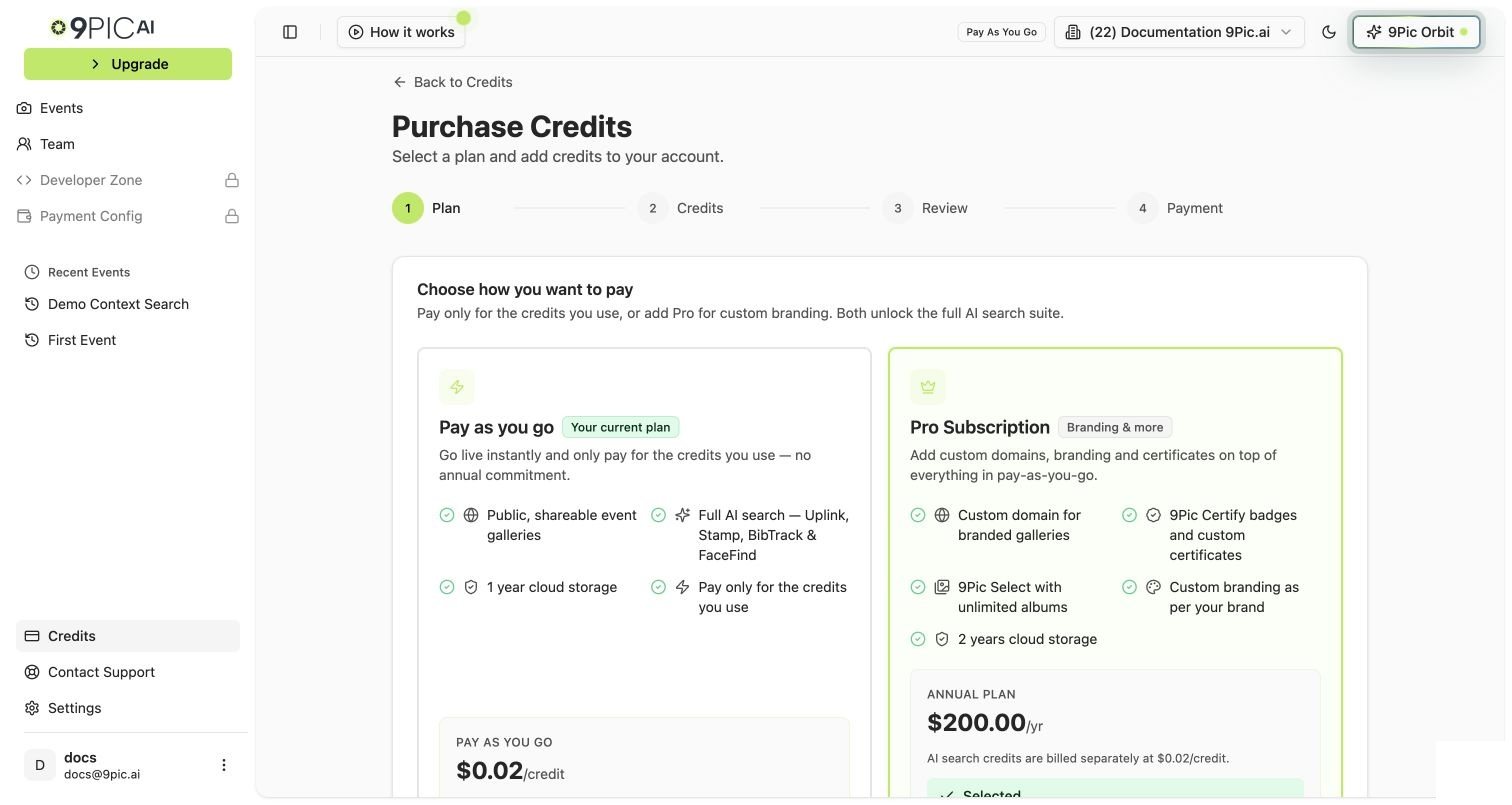
Step 1 — Plan
You’ll see four options. Pick Pro Subscription.| Option | What it does | Pick it for the upgrade? |
|---|---|---|
| Pro Subscription | Annual subscription at $200/year. Unlocks creative tools, custom domain, Setup Wizard. | Yes — this is the upgrade. |
| Pay as you go | Top up credits without changing plans. Stays on Pay As You Go. | No (that’s a routine top-up — see Buy More Credits). |
| Custom Payment | Records a payment without adding credits. | No. |
| Enterprise | Disabled — opens 9pic.ai/contact. | Only if you’ve decided you need Enterprise instead of Pro. |

Step 2 — Credits
After picking Pro Subscription, you can also add credits in the same transaction. The order summary shows:- Pro Subscription base price (verify the current price displayed in the dashboard).
- Extra credits (optional) — any quantity above the included amount.
- Total credits that will be in your balance after the purchase.
| What you should buy | Why |
|---|---|
| Pro only (no extra credits) | If your existing PAYG balance already covers your next event. |
| Pro + your usual top-up amount | If your existing balance is low and you’re due for a top-up anyway. Combining saves a separate transaction. |
Step 3 — Review
Review the order summary:- Plan: Pro Subscription.
- Credits: any quantity you added.
- Currency: based on your billing region.
- Taxes: shown automatically based on your billing region.
- Grand total to be charged.
Step 4 — Payment
Click the payment button
The label depends on your billing currency and region — for example Pay with Razorpay or Pay with PayGlocal. Click it.
Complete checkout in the secure gateway window
Enter card details. 9Pic does not see or store your card details — the gateway handles them directly.
What Changes Right After You Upgrade
| Change | When it takes effect |
|---|---|
| Sidebar plan badge flips from Pay As You Go to Pro | Immediately. |
| Setup Guide / Setup Wizard appears in the sidebar (website customisation) | Immediately. |
| Creative tools appear in event navigation: Certify, Flow, Select, Buzz, Motion | Immediately, on every event in the organisation. |
| Custom Domain option becomes available in Settings → Domain & Region | Immediately. |
| Sidebar Upgrade button is replaced by other elements (you’re already at Pro) | Immediately. |
| Credit balance | Includes any credits added in the same transaction. |
| Existing events | No changes — everything keeps working. |
What Doesn’t Change
- Existing events, photo galleries, team members, settings, and public links are all untouched.
- Your credit balance carries over.
- Your default domain stays
app.9pic.aiuntil you connect a custom domain in Settings → Domain & Region. - Per-credit cost stays the same.
- Support response time stays the same.
If Payment Fails
| Symptom | What to do |
|---|---|
| Card declined | Try a different card. The order is not retried automatically. |
| Window closed before paying | Order is marked Abandoned. Just start the flow again — no charge. |
| Charged but plan didn’t update | Open Credits → Billing & Transactions, find the row, click Recheck. If still stuck, take a screenshot of the gateway confirmation and email support@9pic.ai. |
Common Questions
Do I lose my Pay As You Go credits when I upgrade?
No. All your existing credits stay in your balance and combine with any extra credits you bought in the upgrade transaction.
Will my existing events automatically use the Pro creative tools?
The creative tools (Certify, Flow, Select, Buzz, Motion) become available on every existing event immediately. They aren’t auto-applied — you choose when to use them per event.
What's the first thing I should do after upgrading?
Run the Setup Wizard that appears in the sidebar. It walks through theme color, logo, footer, social links, contact form, header CTA, and team invite — your branded site setup is the highest-leverage thing to do first. See Pro Guide → Setup Wizard.
What happens at the end of my Pro term (365 days)?
Pro renewal is manual — you re-purchase Pro from the same Purchase Credits flow. The dashboard surfaces “Expires in N days” warnings on Credits → Subscription when expiry is within 30 days. If the term ends without renewal, the creative tools and custom domain become unavailable on new events; the account effectively returns to a Pay-As-You-Go-style state.

Can I cancel within a few days for a refund?
Refund eligibility is governed by 9Pic’s Refund Policy. For specific situations, email support@9pic.ai.
Does my team get notified when I upgrade?
Existing teammates don’t receive a special notification, but they’ll see the new plan badge and the creative tools when they next open the dashboard.
Next Steps
Pro Guide
The full operator playbook for the Pro plan.
Pro Setup Wizard
Run this once after upgrading.
Custom Domain Setup
Move your events to
photos.yourbrand.com.Talk to Us
Considering Enterprise instead? Get in touch.