

Overview
Event QR (Event Config → Access & Sharing → Event QR) generates a styled QR code that takes people straight to your event. Print it on bibs, banners, or signage so participants can find their photos instantly.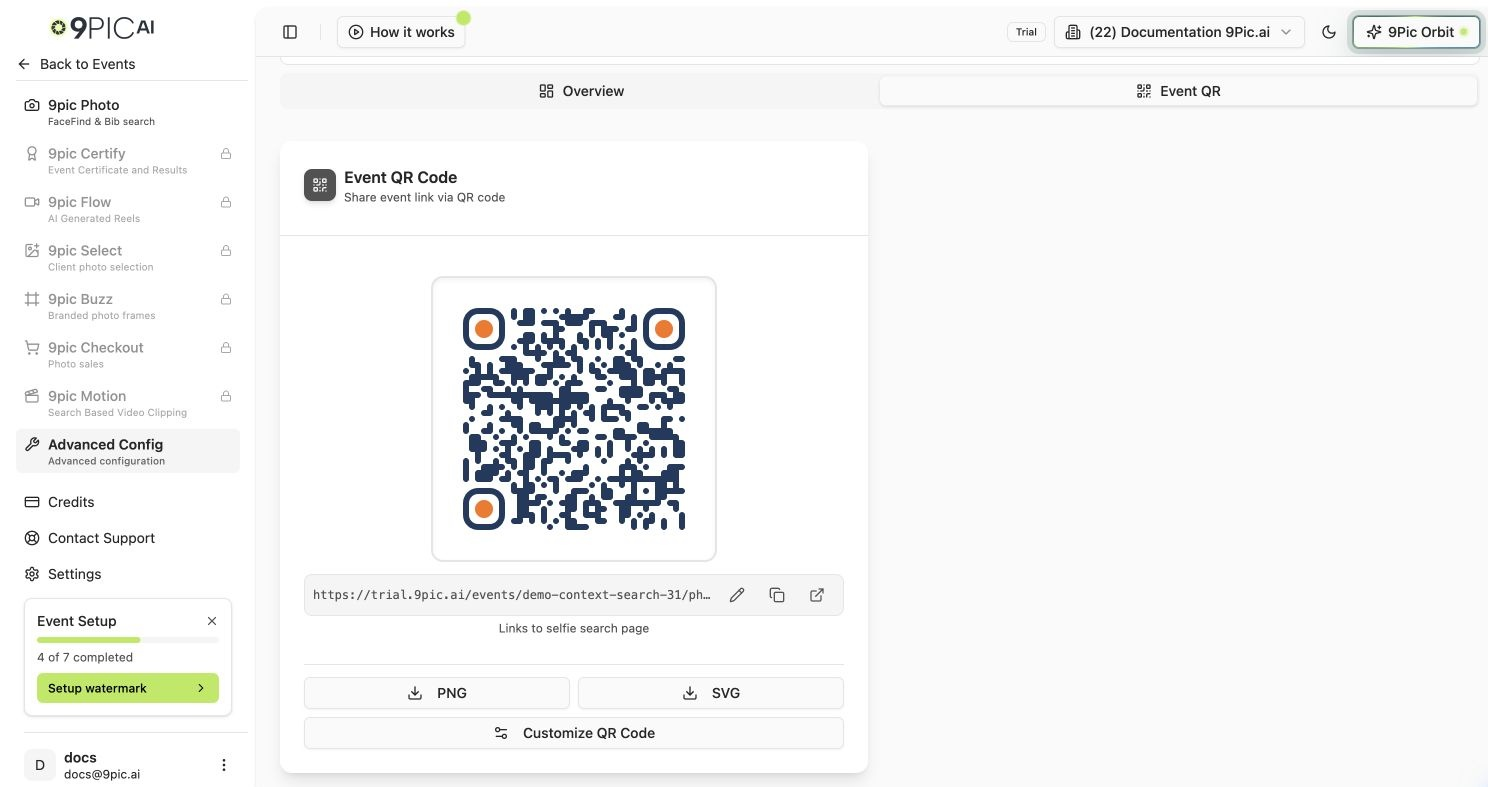
Event QR
What the QR Links To
The card shows the destination URL with three quick actions: Edit link, Copy, and Open.
Your QR design and custom link are saved on the event, so everyone on your team sees and downloads the same QR, even after a refresh or on another device. Each event keeps its own design.
Download & Share
1
Check the link
Confirm the URL under the QR is correct (gallery, selfie search, or your custom link).
2
Download
Click PNG for print/social or SVG for a scalable vector you can resize without quality loss.
3
Customise (optional)
Click Customize QR Code to pick a preset, adjust colours, dots and corners, or add a logo. Click Save design to keep it for your team; closing without saving discards the changes.
Common Questions
Can I point the QR somewhere else?
Can I point the QR somewhere else?
Yes. Click the Edit link (pencil) icon, enter a full web address starting with
https://, and click Save. Click Reset link to go back to the default gallery or selfie link. Both save straight away.Why does my QR go to selfie search instead of the gallery?
Why does my QR go to selfie search instead of the gallery?
When Selfie Search is enabled for the event, the default QR links to the selfie search page so participants can find themselves faster. Turn it off in Photo Configuration or set a custom link.
How do I add my logo to the QR?
How do I add my logo to the QR?
Click Customize QR Code, open Logo and choose a PNG or JPG up to 2 MB. Keep the logo size below 40% so the code still scans, then click Save design.
My teammate's QR looks different from mine.
My teammate's QR looks different from mine.
Unsaved changes in the styling modal are only on your screen. Click Save design so the design is stored on the event; everyone sees it the next time they open Event QR.
Next Steps
Event Config
Event page, products, visibility, page password and image cache.
Event Banner
Style the event page your QR code opens.