> ## Documentation Index
> Fetch the complete documentation index at: https://docs.9pic.ai/llms.txt
> Use this file to discover all available pages before exploring further.
# Pro Guide
> Get the most out of your 9Pic Pro plan, from setup to renewal
## Welcome to Your Pro Plan
You're on **9Pic Pro** — the annual subscription that unlocks branded events, custom domains, and the full creative tool suite (Certify, Flow, Select, Buzz, Motion). This guide is the playbook for getting the most out of every dollar of your subscription.
The Pro journey has five short stages:
What changes the moment you go Pro, and how to think about your year.
Run the Setup Wizard once to get your gallery on a custom domain with your branding.
Use the full feature set — FaceFind, BibTrack, Motion, Flow, Certify, Buzz, Select.
Top up credits, track usage, and stay ahead of your annual renewal.
When (and only when) it makes sense to talk to us about Enterprise.
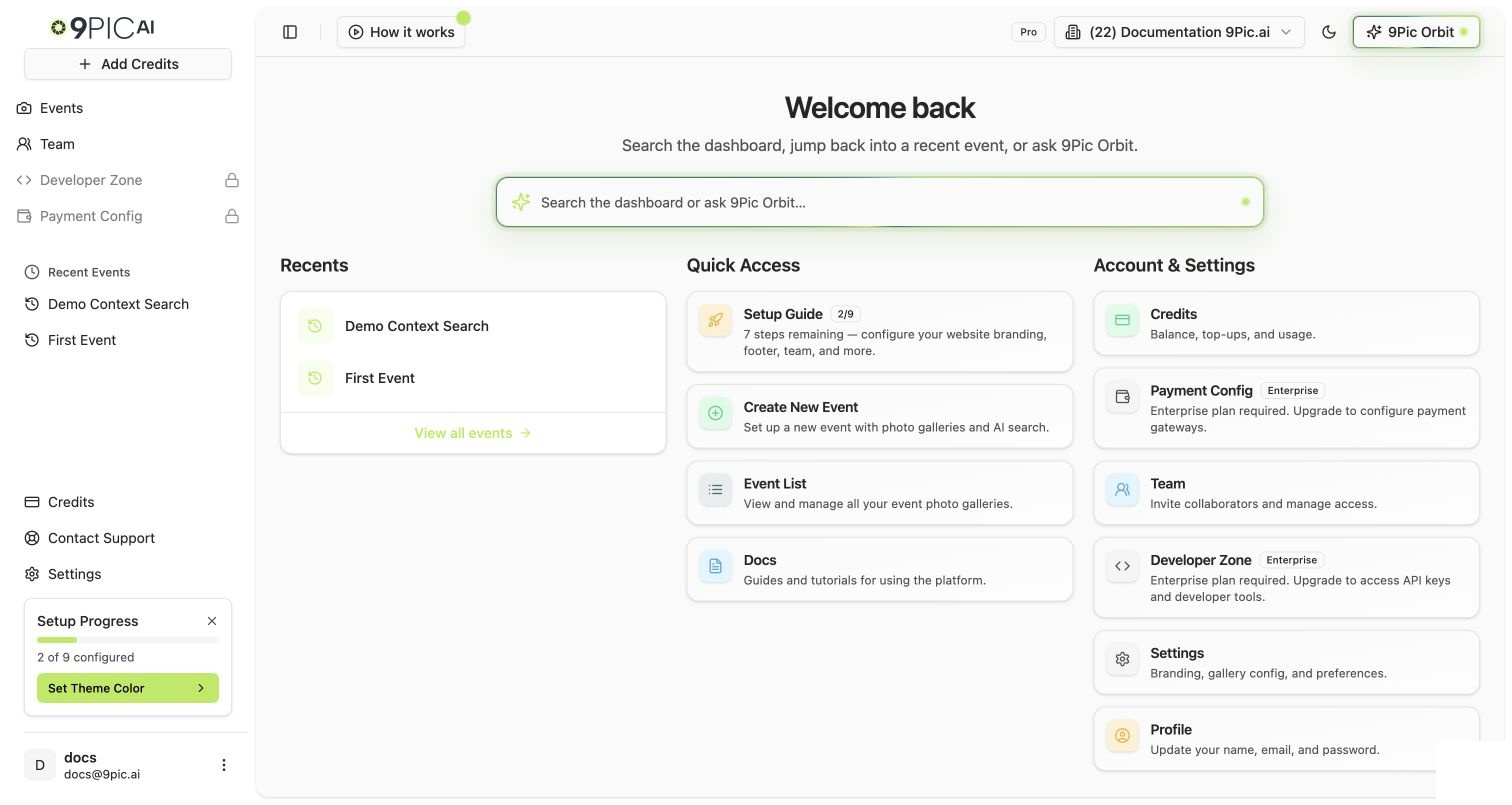 ## What to Do First
**First time on Pro?** Block out 30 minutes and run the [Setup Wizard](/pro-guide/setup-wizard). It's the single highest-leverage thing you can do — every event you run after this inherits your branding and domain.
If you only have 30 minutes, do these three things in order:
From the sidebar, click **Setup Guide**. On Pro, it lists website-customisation steps: theme color, logo, favicon, footer, social links, contact form, header CTA, and team invite.
Walk through each Setup Guide step. The wizard routes you to the right Settings tab. Click **Save** at the bottom of each tab — changes are not auto-saved.
On the **Domain & Region** tab, add either a `yourname.9pic.ai` platform subdomain (instant) or a `photos.yourbrand.com` custom domain (DNS + up to 48h for SSL).
## The Full Pro Journey
Every product Pro turns on, sourced from the dashboard's plan-access logic.
The full website Setup Guide, step by step.
Logo, favicon, theme color, header style, and CTA button.
Connect a platform subdomain or your own apex domain.
Footer text, social links, About Us, and embedded contact form.
Header CTA, Google Tag Manager, and advanced toggles.
The end-to-end event flow with the full Pro toolkit.
AI photo search at production scale.
Selfie + BIB video clipping and AI reels.
Frames, certificates, and client proofing.
How Pro credits work and when to add more.
What happens at expiry and how to renew before it's too late.
Invite admins and operators with the right roles.
Find invoices, recheck pending payments, and audit billing.
The honest comparison — and when Pro is enough.
When to reach out for Enterprise, Checkout, or beta features.
## Already Familiar with 9Pic?
If you've used 9Pic before or this is your second Pro subscription, you can skip ahead:
Full, plan-agnostic reference for every dashboard page.
Embed 9Pic search and event data into your own apps.
Need help? Use the in-product **Support** flow or email [support@9pic.ai](mailto:support@9pic.ai). Pro accounts get the same response standard as Enterprise.
## What to Do First
**First time on Pro?** Block out 30 minutes and run the [Setup Wizard](/pro-guide/setup-wizard). It's the single highest-leverage thing you can do — every event you run after this inherits your branding and domain.
If you only have 30 minutes, do these three things in order:
From the sidebar, click **Setup Guide**. On Pro, it lists website-customisation steps: theme color, logo, favicon, footer, social links, contact form, header CTA, and team invite.
Walk through each Setup Guide step. The wizard routes you to the right Settings tab. Click **Save** at the bottom of each tab — changes are not auto-saved.
On the **Domain & Region** tab, add either a `yourname.9pic.ai` platform subdomain (instant) or a `photos.yourbrand.com` custom domain (DNS + up to 48h for SSL).
## The Full Pro Journey
Every product Pro turns on, sourced from the dashboard's plan-access logic.
The full website Setup Guide, step by step.
Logo, favicon, theme color, header style, and CTA button.
Connect a platform subdomain or your own apex domain.
Footer text, social links, About Us, and embedded contact form.
Header CTA, Google Tag Manager, and advanced toggles.
The end-to-end event flow with the full Pro toolkit.
AI photo search at production scale.
Selfie + BIB video clipping and AI reels.
Frames, certificates, and client proofing.
How Pro credits work and when to add more.
What happens at expiry and how to renew before it's too late.
Invite admins and operators with the right roles.
Find invoices, recheck pending payments, and audit billing.
The honest comparison — and when Pro is enough.
When to reach out for Enterprise, Checkout, or beta features.
## Already Familiar with 9Pic?
If you've used 9Pic before or this is your second Pro subscription, you can skip ahead:
Full, plan-agnostic reference for every dashboard page.
Embed 9Pic search and event data into your own apps.
Need help? Use the in-product **Support** flow or email [support@9pic.ai](mailto:support@9pic.ai). Pro accounts get the same response standard as Enterprise.