> ## Documentation Index
> Fetch the complete documentation index at: https://docs.9pic.ai/llms.txt
> Use this file to discover all available pages before exploring further.
# Payment Configuration
> Set up Stripe and Xendit payment gateways and map them to events (Enterprise).
Payment Configuration is an **Enterprise plan** feature, and only **team admins** (or 9Pic staff) can manage it. On other plans, the sidebar item shows a lock and opens an upgrade prompt.
## Overview
Payment Configuration is where you set up the payment gateways your organisation uses, then map them to events. It powers [9Pic Checkout](/dashboard-guide/checkout/overview): you create a gateway here once, then assign it to individual events.
Open it from **Payment Config** in the dashboard sidebar (or the **Payment Config** card on the dashboard home).
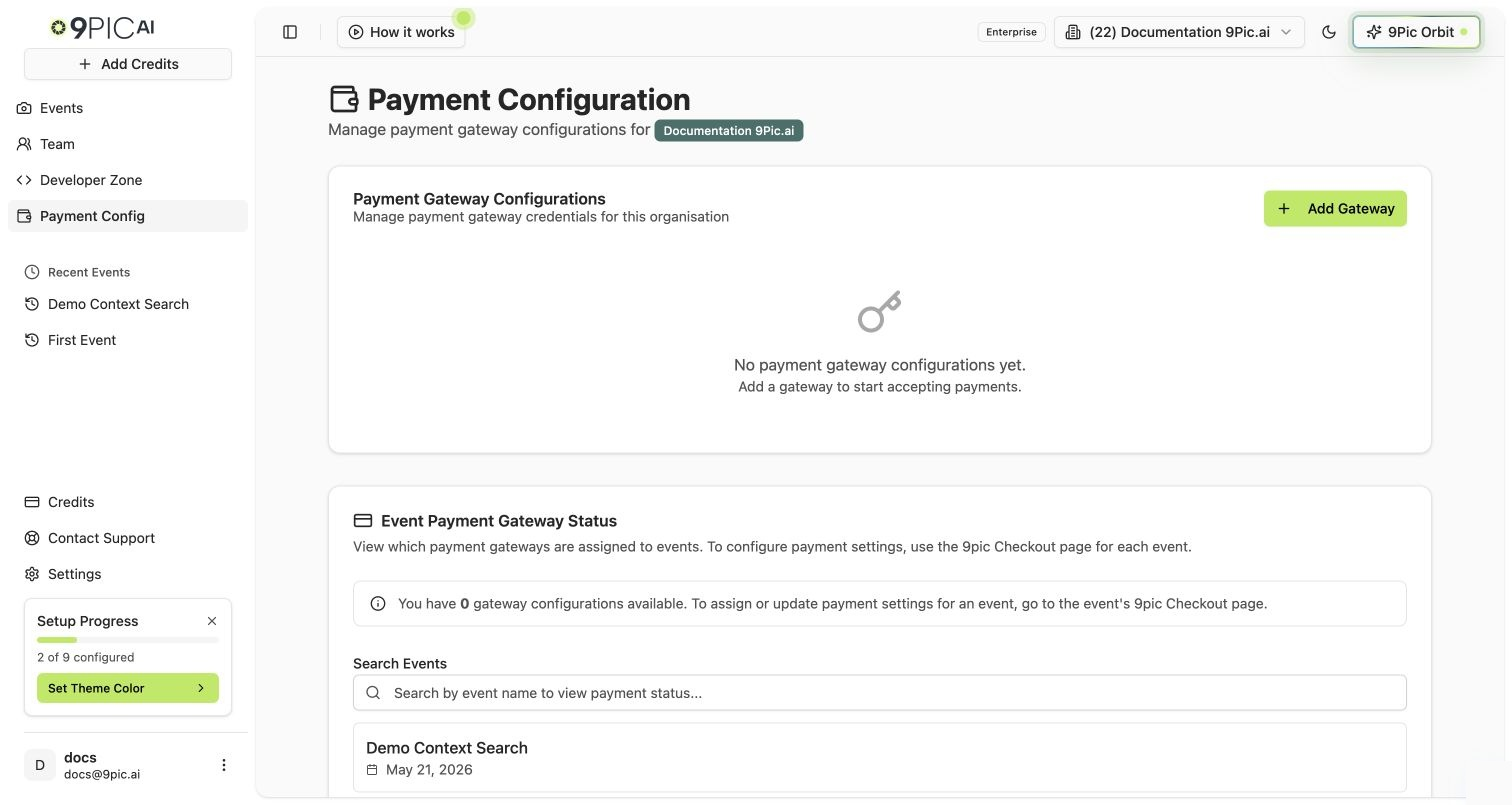 ## Gateway Configurations
The first section lists your gateway configurations and lets you add or edit them.
Add a **Stripe** or **Xendit** configuration with the credentials for that account.
Open any configuration to update its credentials or details.
We give clear, gateway-specific instructions during setup. Keep API keys and secrets safe — treat them like passwords and never share them outside your admin team.
## Event Mapping
The second section maps events to a gateway configuration, so each event's checkout routes payments to the right account. This is the organisation-level counterpart to the per-event gateway assignment you do on the [Checkout Configuration](/dashboard-guide/checkout/configuration) tab.
## Who Can Access It
| Requirement | Detail |
| ---------------- | ----------------------------------- |
| **Plan** | Enterprise only |
| **Role** | Team admin (or 9Pic staff) |
| **Organisation** | One must be selected in the top bar |
If you're on Enterprise but see an "Access Denied" notice, your account isn't a team admin — ask an admin on your [Team](/dashboard-guide/team) to grant access.
## Next Steps
Sell photos, videos, and certificates per event.
Assign one of these gateways to an event.
## Gateway Configurations
The first section lists your gateway configurations and lets you add or edit them.
Add a **Stripe** or **Xendit** configuration with the credentials for that account.
Open any configuration to update its credentials or details.
We give clear, gateway-specific instructions during setup. Keep API keys and secrets safe — treat them like passwords and never share them outside your admin team.
## Event Mapping
The second section maps events to a gateway configuration, so each event's checkout routes payments to the right account. This is the organisation-level counterpart to the per-event gateway assignment you do on the [Checkout Configuration](/dashboard-guide/checkout/configuration) tab.
## Who Can Access It
| Requirement | Detail |
| ---------------- | ----------------------------------- |
| **Plan** | Enterprise only |
| **Role** | Team admin (or 9Pic staff) |
| **Organisation** | One must be selected in the top bar |
If you're on Enterprise but see an "Access Denied" notice, your account isn't a team admin — ask an admin on your [Team](/dashboard-guide/team) to grant access.
## Next Steps
Sell photos, videos, and certificates per event.
Assign one of these gateways to an event.